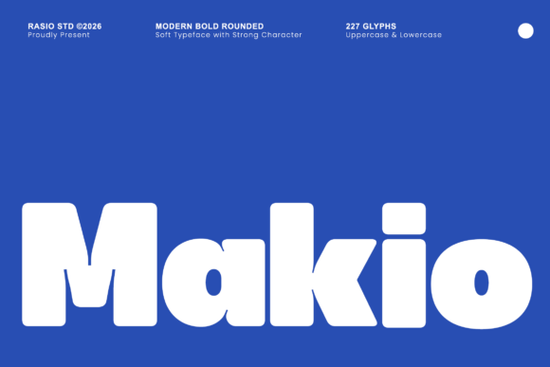
If you need a bold sans-serif that feels friendly instead of aggressive, the Makio Font is worth a close look. It combines heavy visual weight with soft, rounded corners, giving your text a confident but approachable look. Whether you're designing for a startup, a streetwear brand, or a social media campaign, this typeface delivers impact without feeling harsh or cold.
What kind of projects does Makio work best for?
Makio was built for display use, which means it shines wherever you need big, attention-grabbing text. Some of its strongest applications include:
- Tech startup branding – its modern, rounded forms feel fresh and innovative
- Streetwear and apparel labels – bold enough for logos and hang tags
- App interface designs – clean perimeter lines keep things readable on screens
- Food and beverage packaging – the friendly shape catches eyes on shelves
- Retro-futuristic posters – thick vertical blocks create a strong visual anchor
- Social media graphics – high scannability makes it perfect for fast-scrolling feeds
For print-on-demand sellers, Makio works especially well on t-shirt designs, mug graphics, and poster layouts where you want a single bold word or short phrase to dominate the composition. You can check out the full character set and previews to see how it fits your specific workflow.
Is Makio easy to read at different sizes?
Yes, and that's one of its key strengths. The generous x-height means lowercase letters stay legible even when scaled down. The tightly packed letter junctions keep the overall texture smooth and even, which helps with readability in text blocks.
That said, Makio is primarily a display typeface. It's designed for headlines, titles, and short bursts of text rather than long paragraphs. If you need a body text companion, consider pairing it with a cleaner option like the Metha Font, which offers a more neutral sans-serif style suited for longer reading. You can also see how Metha compares as a lighter counterpart.
What sets Makio apart from other bold rounded fonts?
Plenty of bold sans-serifs exist, but few balance softness and strength the way Makio does. Here's what makes it stand out:
- Pillowed corners – instead of sharp or purely circular edges, the corners have a smooth, pillow-like finish that feels warm and inviting
- No harsh geometric angles – the letterforms avoid the cold, mechanical look common in many heavy typefaces
- Heavy weight with a clean perimeter – the outline stays tidy even at large sizes, which matters for vinyl cutting, screen printing, and embroidery digitizing
- Compact letter spacing – letters sit tightly together, creating a solid, unified text block that reads as a single visual unit
This combination gives Makio a personality that's both strong and approachable a rare quality in display fonts. It doesn't try to intimidate. Instead, it commands attention through sheer visual presence.
Can I use this font for commercial projects?
Licensing depends on where you purchase it. On Creative Fabrica, fonts typically come with a license that covers both personal and commercial use. Always double-check the specific license terms before using any font in products you plan to sell, especially for print-on-demand merchandise, client work, or digital products.
How should I pair Makio with other fonts?
A strong display font like Makio works best when you give it breathing room with a simpler companion. Here are a few pairing approaches that work well:
- Makio + a clean sans-serif – use Makio for headlines and a lighter sans-serif for subheads and body copy
- Makio + a simple serif – the contrast between rounded bold letters and refined serif text creates visual interest without clashing
- Makio + a monospace font – for tech-oriented projects, this pairing feels modern and functional
Keep the companion font simple. Makio already carries a lot of visual energy, so the supporting typeface should stay quiet and readable.
Quick checklist before using Makio in your next project
- Confirm the license covers your intended use (personal, commercial, or print-on-demand)
- Test it at the actual size you plan to use display fonts can look very different on screen versus in print
- Pair it with a neutral body font to avoid visual overload
- Check letter spacing in your specific words tight junctions may need manual kerning adjustments for certain letter combinations
- Preview the full character set to make sure all the glyphs you need (numbers, punctuation, special characters) are included
- Export a test print or mockup before committing to a final design
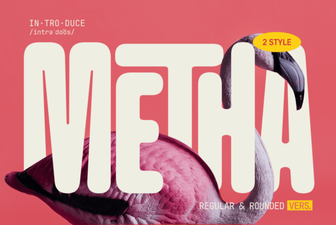 Creative Typography with Metha Font
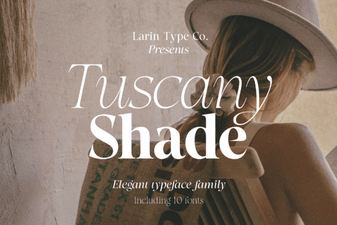 Tuscany Shade Font: Bold Shaded Display for Designers
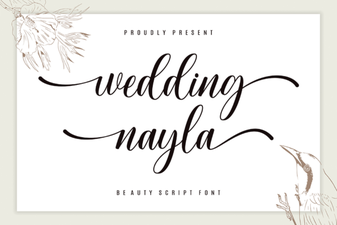 Wedding Nayla Font: Elegant Script for Beautiful Invitations
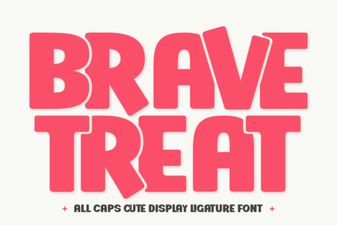 Brave Treat Font - Bold Display Font for Creative Designs
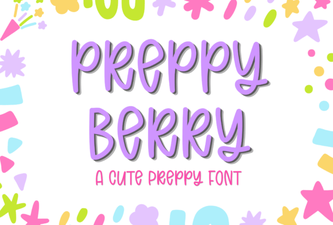 Preppy Berry Font for Charming and Stylish Creative Projects
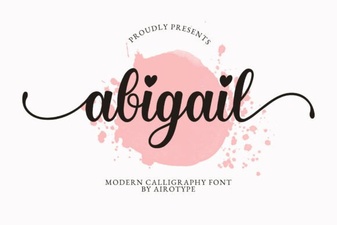 Abigail Font: Elegant Script for Creative Design Projects